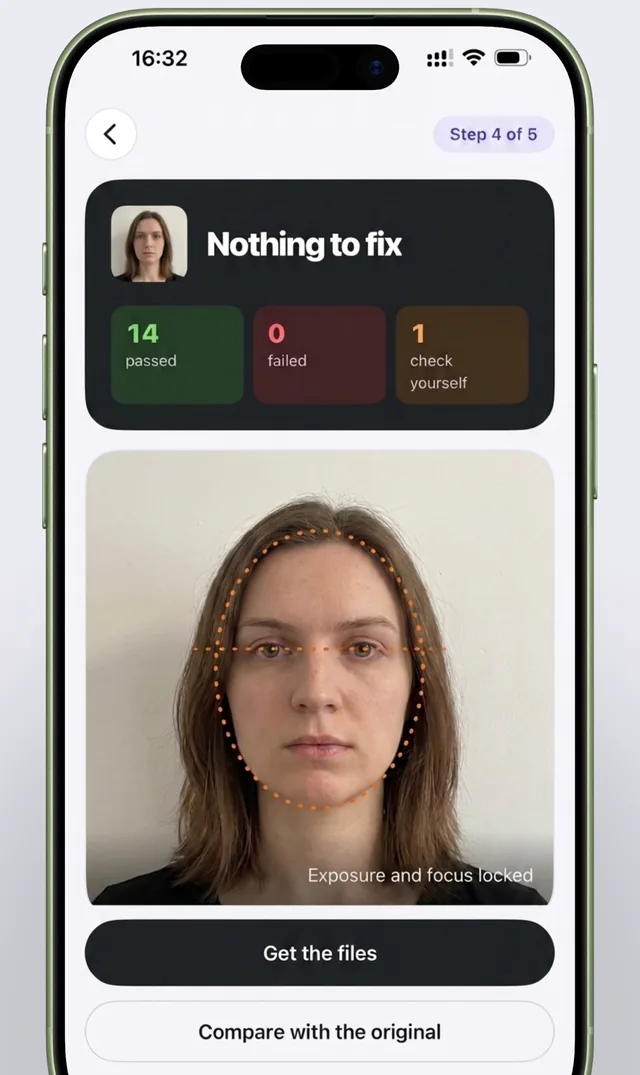
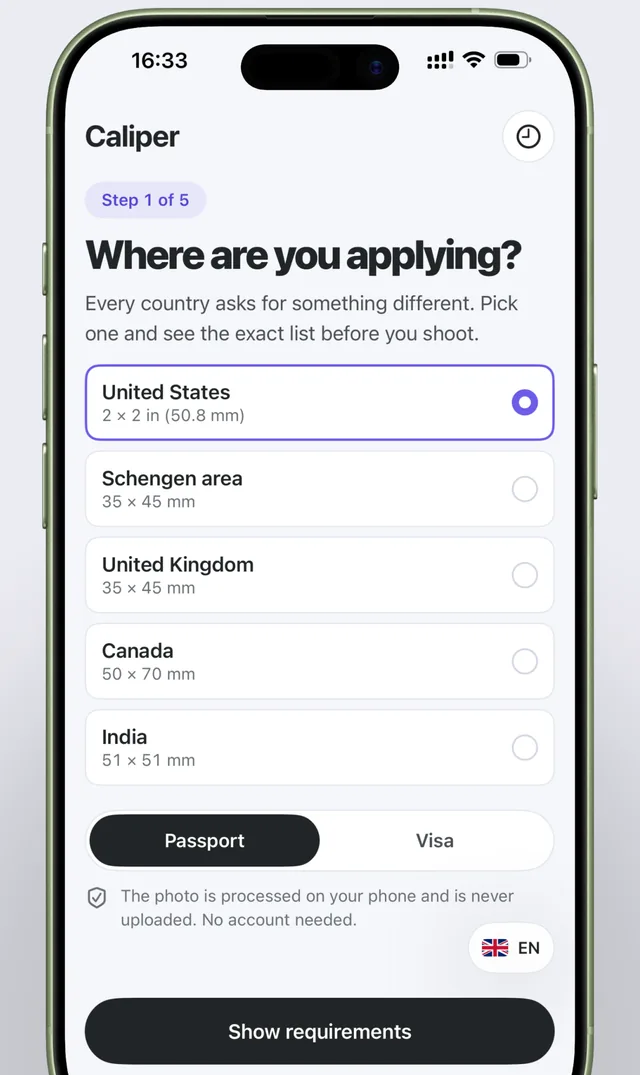
Five steps from choosing a country to ready files
No need to dig through agency websites or visit a photo studio: the app guides you step by step and tells you what to fix.
What Caliper checks
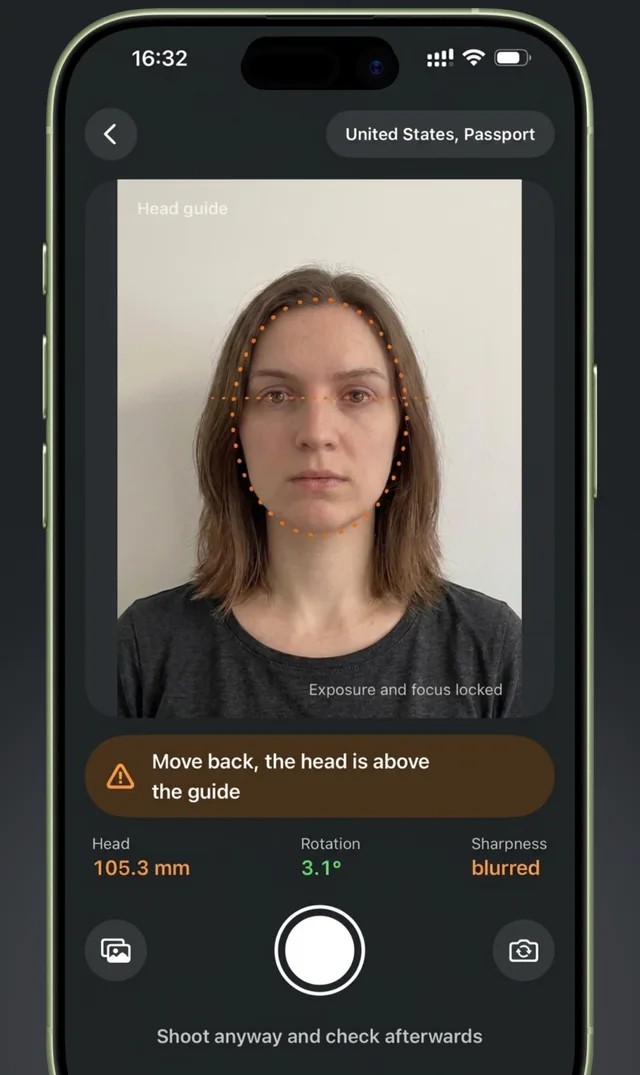
Each item gets one of three statuses: passed, failed or "check yourself" when it can't be determined reliably. For every issue, you see exactly what to reshoot.
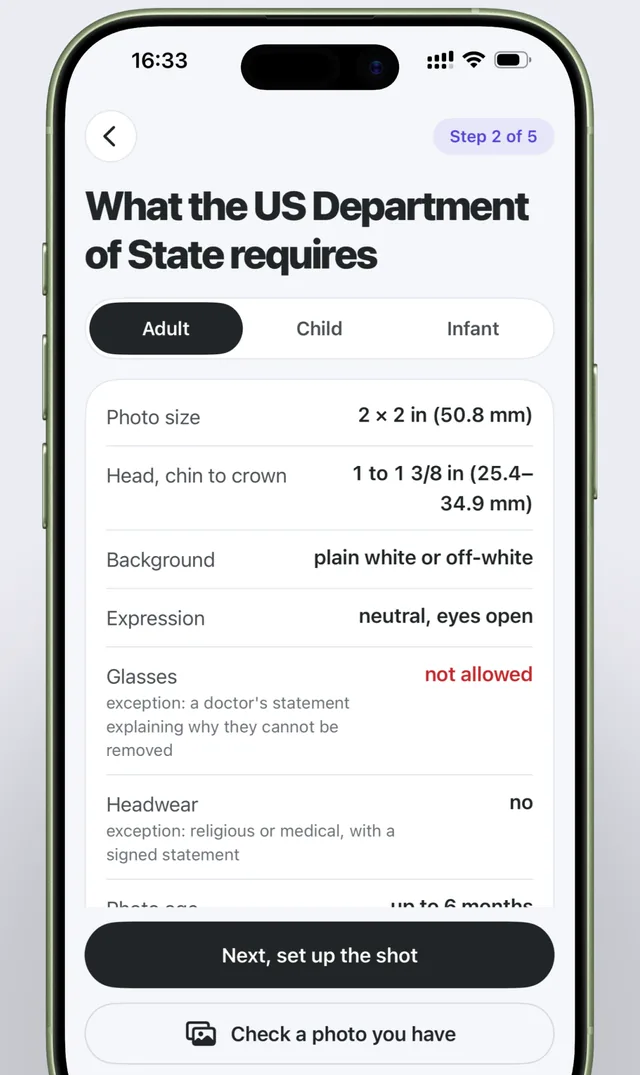
Head size
Chin-to-crown height in millimeters, within the selected country's tolerance.
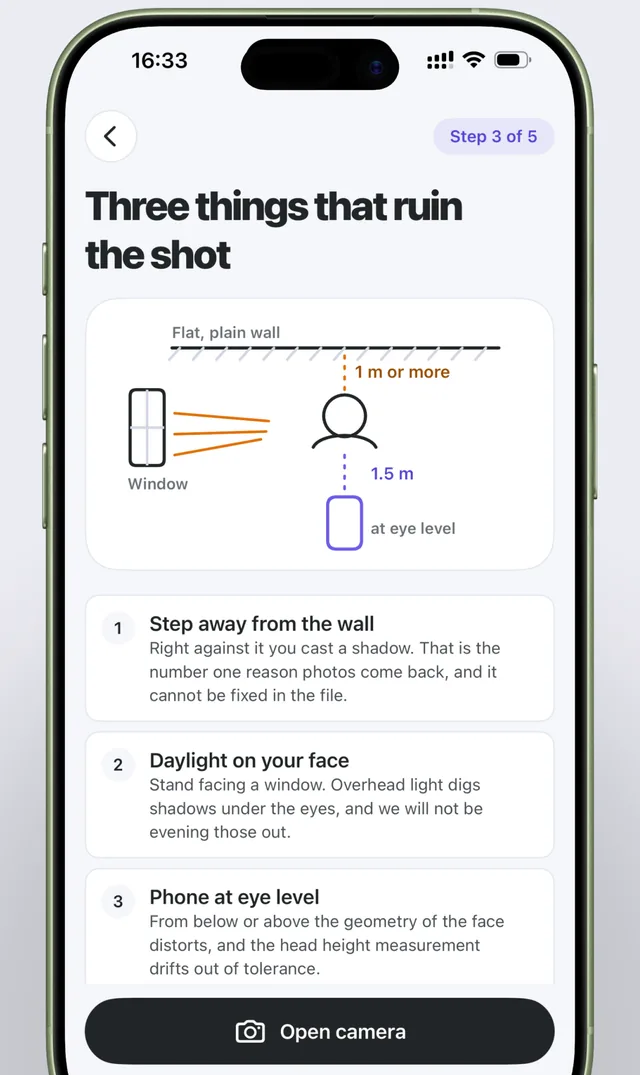
Background
Uniformity, the person's shadow on the wall, room corners and door frames in the shot.
Pose and tilt
Head position and rotation angle: the face must look straight into the camera.
Sharpness and exposure
Blur, overexposure and underexposure that get photos rejected.
Why no retouching
As of January 1, 2026, the U.S. Department of State explicitly prohibits digital enhancement and AI alteration of passport photos. Apps that quietly "enhance" a photo produce images that get applications rejected. Caliper doesn't change anything in the image — it only measures and advises.
- No skin smoothing or retouching
- No background replacement or fill-in
- No lighting filters
Five destinations
Passport or visa — each country's requirements are kept in a separate profile with a link to the official source.
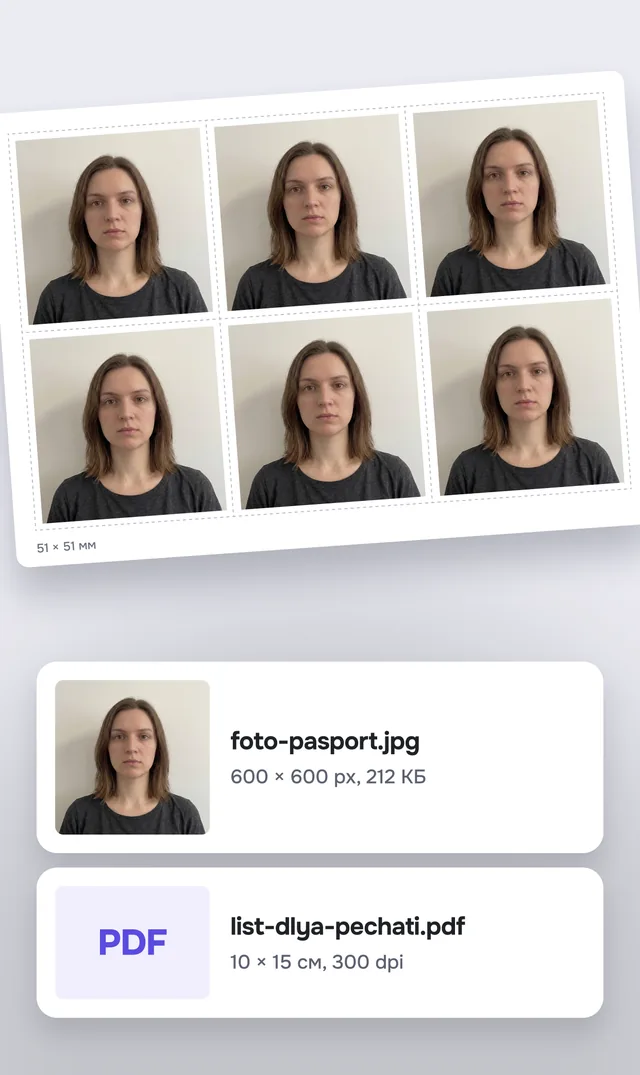
Ready files
JPEG for online submission
An image at the exact pixel size required — ready to upload to the agency's website.
10 × 15 cm print sheet
A 300 dpi PDF with six photos and cut lines. Prints like a regular photo at any photo kiosk.
Your face never leaves your phone
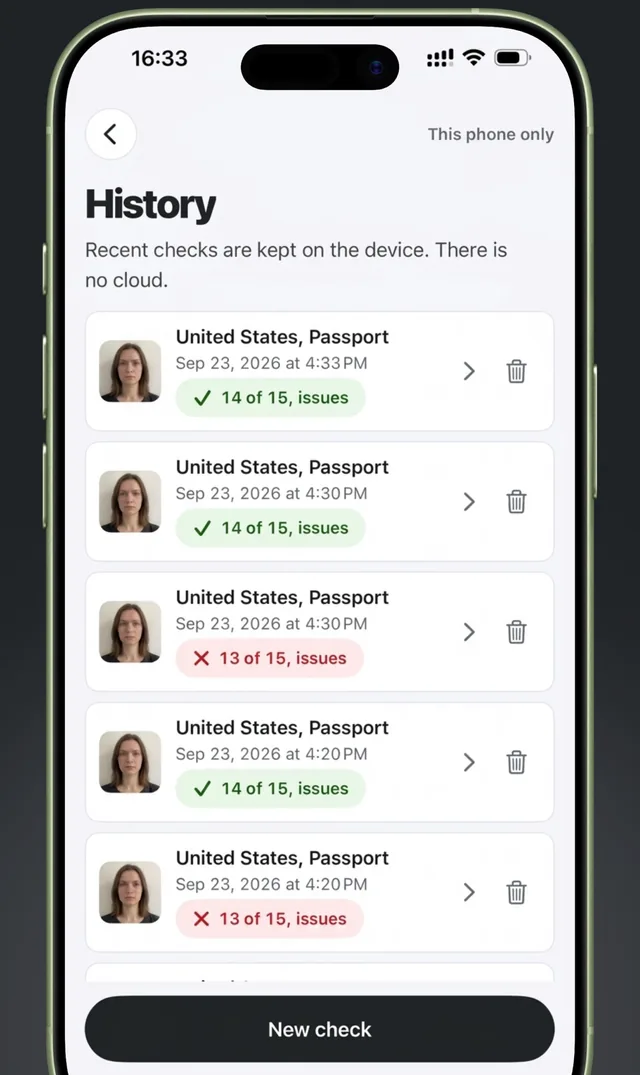
Checks run on the device and stay there. The app's only network request downloads up-to-date country requirements.
- No uploads, no cloud
- No account or sign-up
- Check history stays on your phone
- Anonymized analytics you can turn off
FAQ
Does Caliper guarantee my photo will be accepted?
Can I check a photo I already have?
How much does it cost?
Where are my photos sent?
Where can I get Caliper?
Now available on the App Store
Caliper for iPhone and iPad on iOS 17 and later. The interface is available in 16 languages, and country requirements update without an app update.
Download on theApp Store