About the project
This is the admin panel for Alfateam's own studio website. Through it, the team publishes news and events, maintains the team page, moderates reviews, updates the portfolio and job openings, and manages users and language versions on its own — without going to the developers.
The challenge
The studio website is a living product: new case studies, team members, reviews and news appear on it all the time. We needed an internal tool where every section of the site is edited according to the same logic, so a content manager doesn't waste time figuring out where things are.
A unified structure
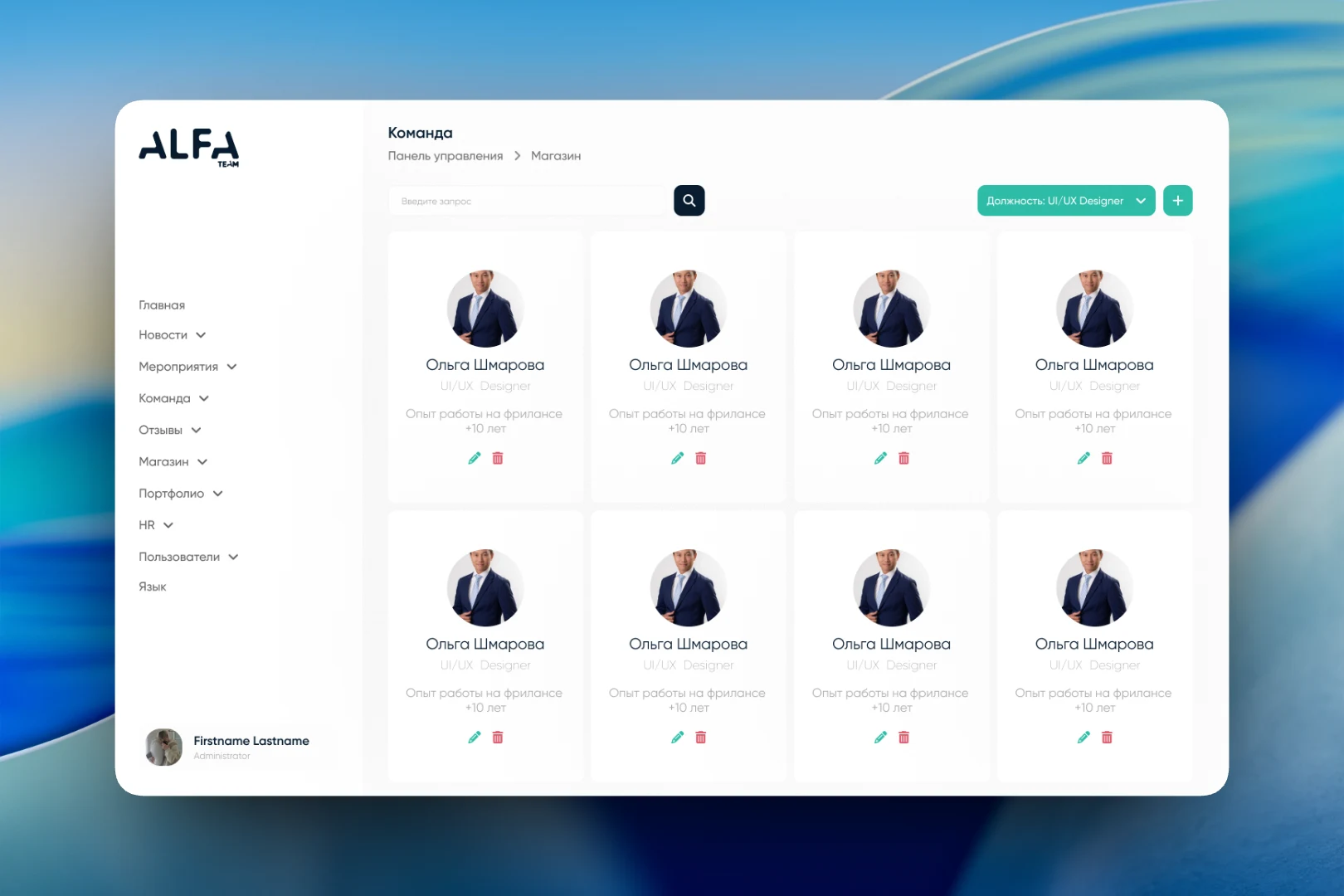
On the left is a persistent menu with every section: "Home", "News", "Events", "Team", "Reviews", "Shop", "Portfolio", "HR", "Users" and "Language". At the bottom of the menu is a card for the current user showing their role. Every page starts the same way: a heading, breadcrumbs, a search bar, a filter and a green "+" button for creating a new entry. Once someone has learned one section, they understand all the others.
The news list shows the cover image, title, category and creation date, and on the right of each row there's a pencil for editing and a trash can for deleting. A category filter makes it quick to separate news from other types of posts, and long lists are paginated.
Team and reviews
The "Team" section is built from cards: photo, name, position and a short line about experience. A position filter helps you quickly find, say, all the designers, and editing and deleting are available right from the card.
Reviews go through moderation before they're published. The "Awaiting moderation" and "All reviews" tabs separate the queue from the archive, and each review shows its author, star rating, date and status — "Approved" or "Awaiting moderation". A review can be approved or deleted with a single icon, without opening it separately.
Users and roles
Access to the panel is granted through the "Users" section. The creation form is simple and linear: first name, last name, email, password, a role from a drop-down list, date of birth and an avatar upload. The role is assigned right when the account is created, so a new employee gets access to the panel in a couple of minutes.
The result
The admin panel covers every section of the studio website in a single interface with recurring logic: list, search, filter, create, edit. The team updates news, the portfolio, job openings and the staff roster on its own, and reviews only reach the site after they've been checked.