About the project
Caliper is a mobile app for taking passport and visa photos. It guides the user step by step from choosing a country to ready-made files: a photo for online submission and a sheet for printing at any photo kiosk. The photo is processed right on the phone, isn't uploaded anywhere, and no account is needed.
The challenge
Every country has its own photo requirements: size, head height, background, glasses, headwear. They are easy to miss, and because of that a photo gets rejected when documents are already being submitted. We needed to build an app that shows the requirements in advance, helps take the right shot the first time and delivers the result in a format that can be used right away.
Country and document type
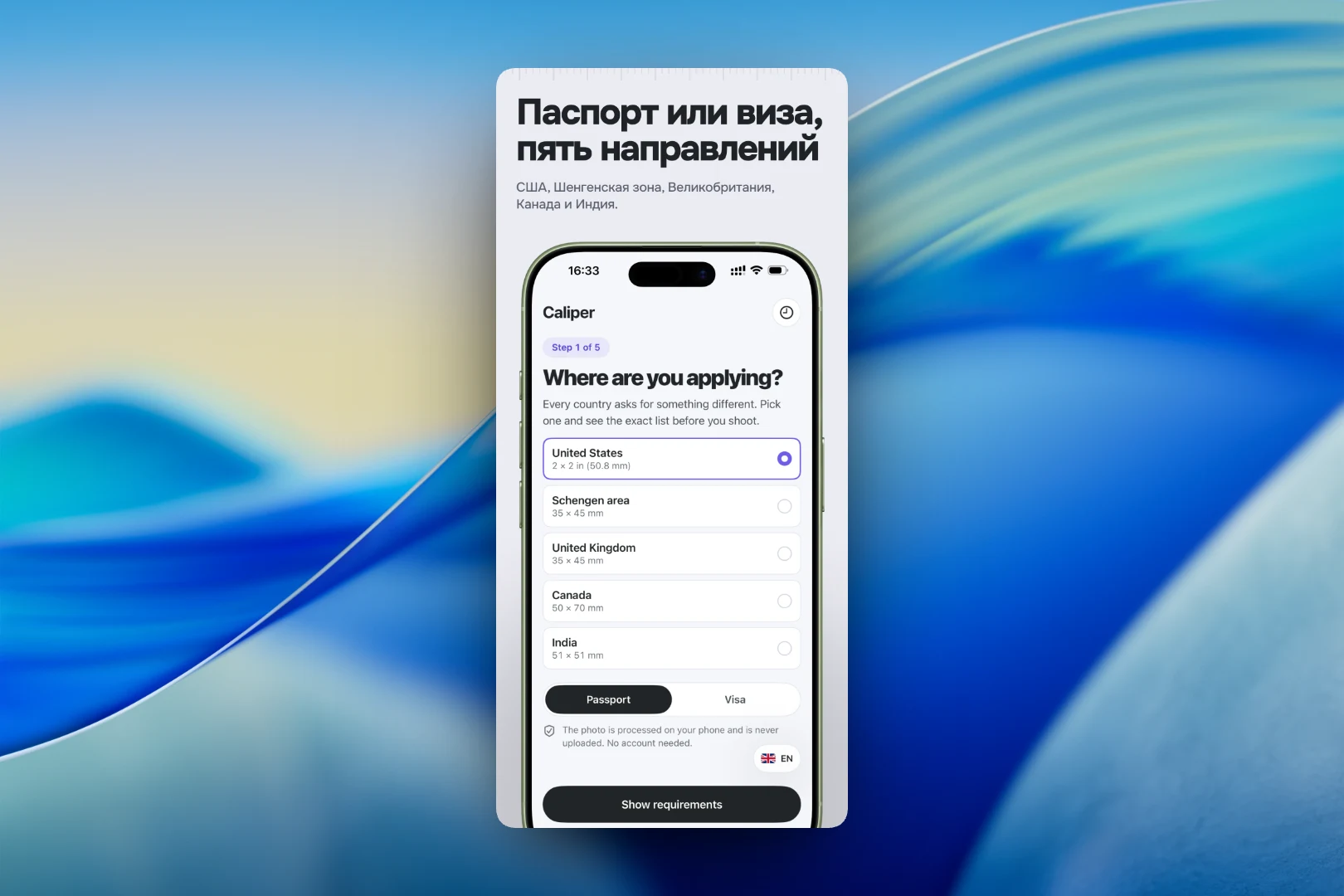
The first of five steps is choosing a destination. The app offers five options: the USA, the Schengen Area, the United Kingdom, Canada and India, and each one shows the photo size right in the list, for example 2 × 2 inches for the USA or 35 × 45 mm for Schengen. Below is a "Passport / Visa" toggle and a short reminder that the photo stays on the device.
Requirements before shooting
In the second step, the app shows the authority's requirements in plain language. For the USA, these are the photo size, head height from chin to crown in inches and millimeters, background, facial expression, and rules for glasses and headwear with a description of exceptions. The requirements are split into "Adult", "Child" and "Infant" tabs because they differ for children. From here you can go to shooting or check a photo you already have.
Guidance while shooting
The camera shows a head outline and an eye line to align the face with. The app monitors the frame in real time: head size, tilt angle and sharpness are displayed at the bottom, and a banner above the shutter button gives one hint at a time — for example, to step back if the head goes beyond the outline. Exposure and focus are locked. If the user is in a hurry, they can shoot right away and check the frame afterwards.
Ready-made files
As output, the user gets two files. The first is a JPEG of the required size for online submission. The second is a 10 × 15 cm PDF sheet at 300 dpi with six photos and cut lines: it can be printed like a regular photo at any kiosk and cut by hand.
Result
Caliper turns taking document photos into a short five-step scenario: choose a country, learn the requirements, take a guided shot and collect the ready-made files. The user doesn't need to look up rules on government websites, go to a photo studio or worry that the photo will be rejected, and personal data stays on their phone.