About the project
Cargonika is a service for automating logistics and managing freight costs. It combines a web system for the logistician, a consignee portal and a driver mobile app. This case covers the product landing page: a page that explains how the service works and leads companies to apply for onboarding.
Challenge
The buyers of such a product are heads of transport departments and logisticians. They are used to spreadsheets, calling drivers and emailing documents, and they need to understand quickly that the service covers the entire shipping process, not just one piece of it. We needed to show the product through real interfaces and break down its capabilities by process participant: logistician, consignee, driver.
First screen: the product up front
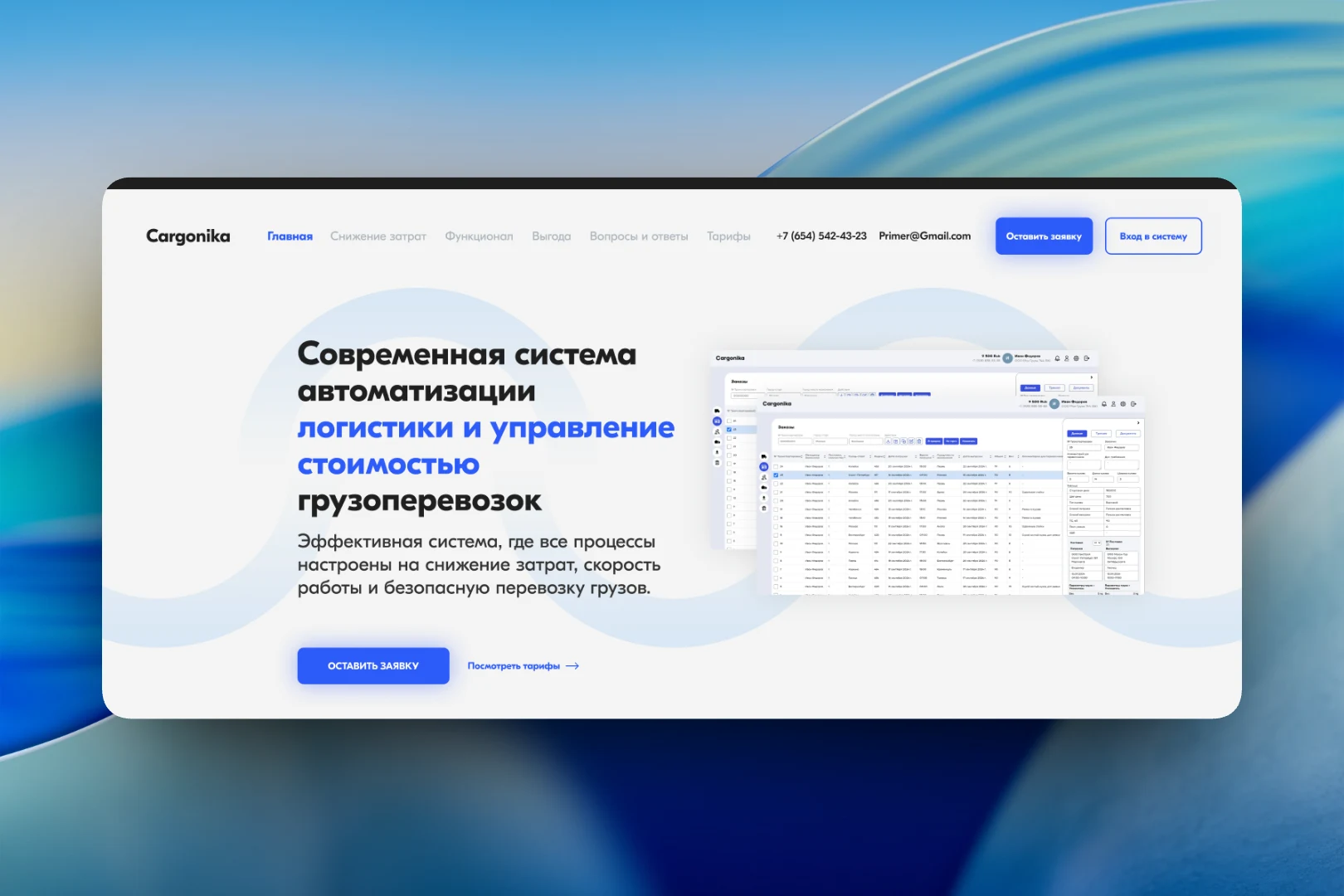
The main screen immediately states what the service is: “A modern system for logistics automation and freight cost management”, with an emphasis on cost reduction, speed and shipment security. Instead of an abstract illustration, the right side shows screenshots of the working interface: an order log with shipment numbers, cities, dates and weight, and a side panel with details of the selected order. The header holds the page sections, contacts, and the “Submit a request” and “Log in” buttons for those who already use the service.
Three participants — three scenarios
The main block of the landing page is built around the shipment participants. For the logistician — freight tracking in one window and document flow with all process participants, with access to the system at any time. For the consignee — a separate page via a link where they see only the data useful to them: they can upload a power of attorney, download signed waybills, check the shipment status and see where the driver is right now. For the driver — a mobile app that tracks their location, while waybills and other documents are sent as photos and go straight into the system.
Each scenario is backed by an image of the interface — the shipment log or mobile app screens with a profile and document photo upload — so the reader sees how it looks in practice.
Onboarding and pricing
Switching to a new system is a transport company's biggest fear, so a separate block is devoted to support during onboarding: guides, video tutorials and a support line seven days a week. The page ends with a pricing block offering two plans — basic and extended, which additionally includes the consignee service — and buttons to get started.
Result
The Cargonika landing page explains the product through interfaces and roles: the logistician sees how the shipment log and document flow are managed, the consignee sees what they'll get via the link, and the driver sees how to send documents from a phone. Visitors can submit a request, compare plans or log in right from the first screen.