About the project
e-Notary is a certification authority that issues electronic signature certificates and works in the field of cryptographic information security. Through the e-notary.ru website, clients order electronic signature certificates and machine-readable powers of attorney, learn about the company's products — for example, the SmartToken-PRO app, which turns a smartphone into a cryptographic token — and read industry articles. We worked on the certification authority's website.
The challenge
Electronic signatures are a topic that confuses even experienced accountants and lawyers: UKEP and UNEP (qualified and non-qualified enhanced signatures), MChD (machine-readable powers of attorney), certificate extensions, different procedures for companies, sole proprietors and individuals. Visitors come to the site with a specific task — getting a signature to work with government services or the tax authority — and need to quickly understand which product to order and what to do. We needed to turn a complex subject area into a clear structure with short paths to ordering.
The home page
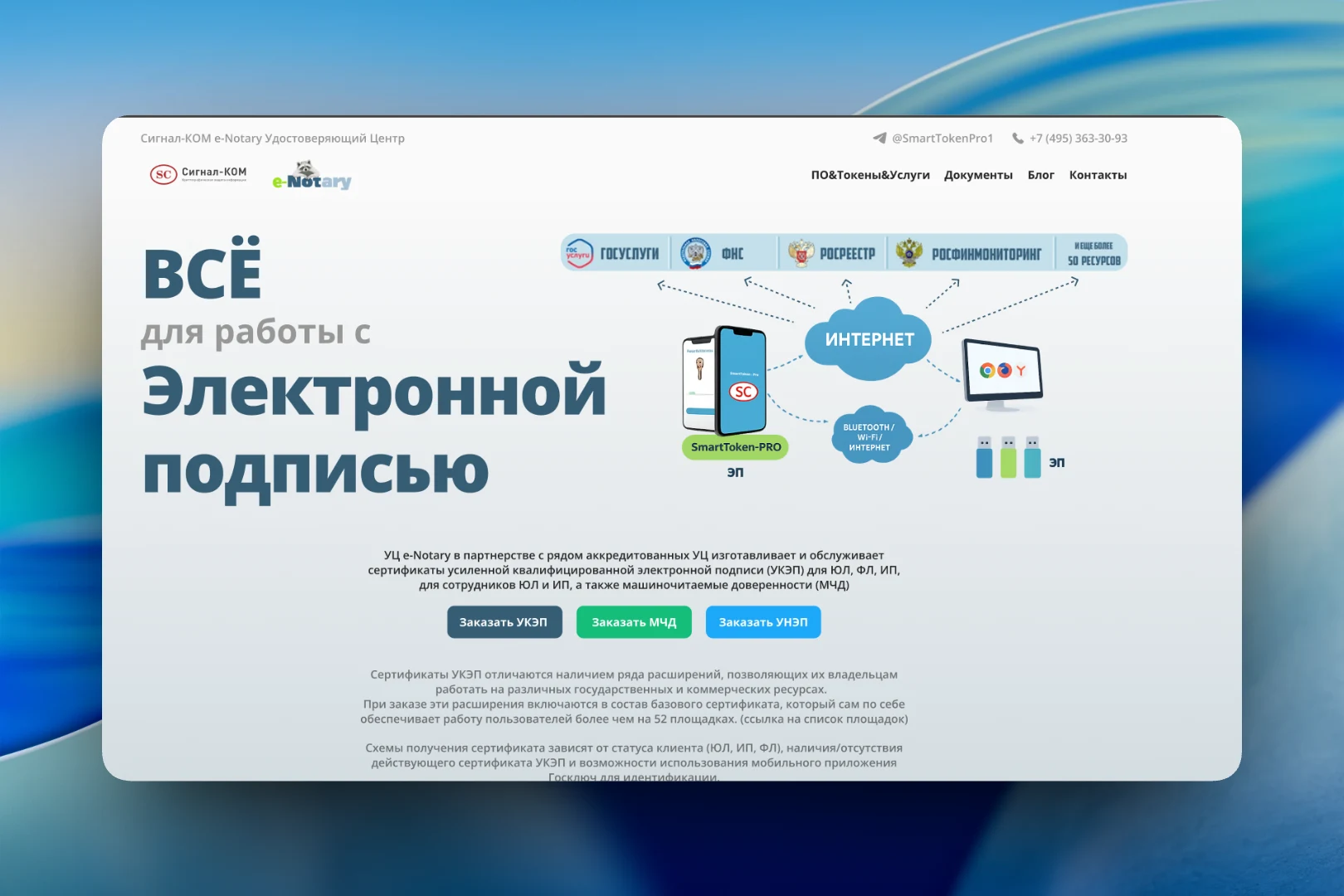
The first screen answers the question “what is all this for” in a single phrase: “Everything for working with electronic signatures”. Next to it is a diagram showing how it works: a signature on a smartphone in SmartToken-PRO or on a USB token gives online access to Gosuslugi, the Federal Tax Service, Rosreestr, Rosfinmonitoring and some fifty other resources. This illustration explains the product's value faster than a paragraph of text.
Below it are a short description of the certification authority's services and three color-coded buttons: “Order UKEP”, “Order MChD” and “Order UNEP”. Users who already know what they need go straight to ordering from the first screen. The header holds the “Software & Tokens & Services”, “Documents”, “Blog” and “Contacts” sections, with a phone number and Telegram for contact above them.
How to get a signature
The most confusing part is how exactly to obtain a certificate. We broke it down into four cards based on the client's situation: first-time issuance for the head of a company or a sole proprietor, first-time issuance for an individual or an employee, renewal of an existing certificate, and issuance via the Goskey mobile app. Each contains a numbered list of steps: choosing the certificate and extensions, paying by invoice or QR code, submitting a request in the personal account, identity verification. Clients find their card and see the whole path in advance. Below the cards is an “Order UKEP” button.
Next comes a block on machine-readable powers of attorney: what an MChD is and why, since September 1, 2024, employees who sign documents on behalf of a company need one.
Blog
For those who want to dig deeper, there is a blog with article search. Posts are presented as cards with abstract covers in a soft pastel palette — they visually unify the section without requiring a separate illustration for every topic. Each card shows the content type, headline, teaser, date and reading time. The articles include stories about the company's products, such as the new version of File-PRO and SmartToken-PRO, as well as explainers like “Electronic signature server”.
The result
The e-Notary website explains a complex topic with simple means: the diagram on the first screen shows why a signature is needed, the situation-based cards show how to get one, and the order buttons are available from the first screen and after every explanatory block. The blog with search gives the certification authority a place for expert content on its products and regulation.