About the project
Fitness App is an app for group video workouts. A coach gathers participants and starts a video lesson, everyone trains at the same time, and points are awarded for completing the exercises. At the end of the session the app sums up the results and announces the winner. We designed the interface for two roles — student and coach — as well as the screen shown on a large display during the session.
The challenge
Video workouts get boring fast: you train alone, nobody sees your results, and quitting halfway costs nothing. We needed to bring into this format what keeps people coming to group classes — the presence of a coach, other participants and a bit of competition. At the same time, the interface must not distract from the workout itself: during the session the user's hands are busy, and they are looking at the coach, not at a menu.
Sign-up and roles
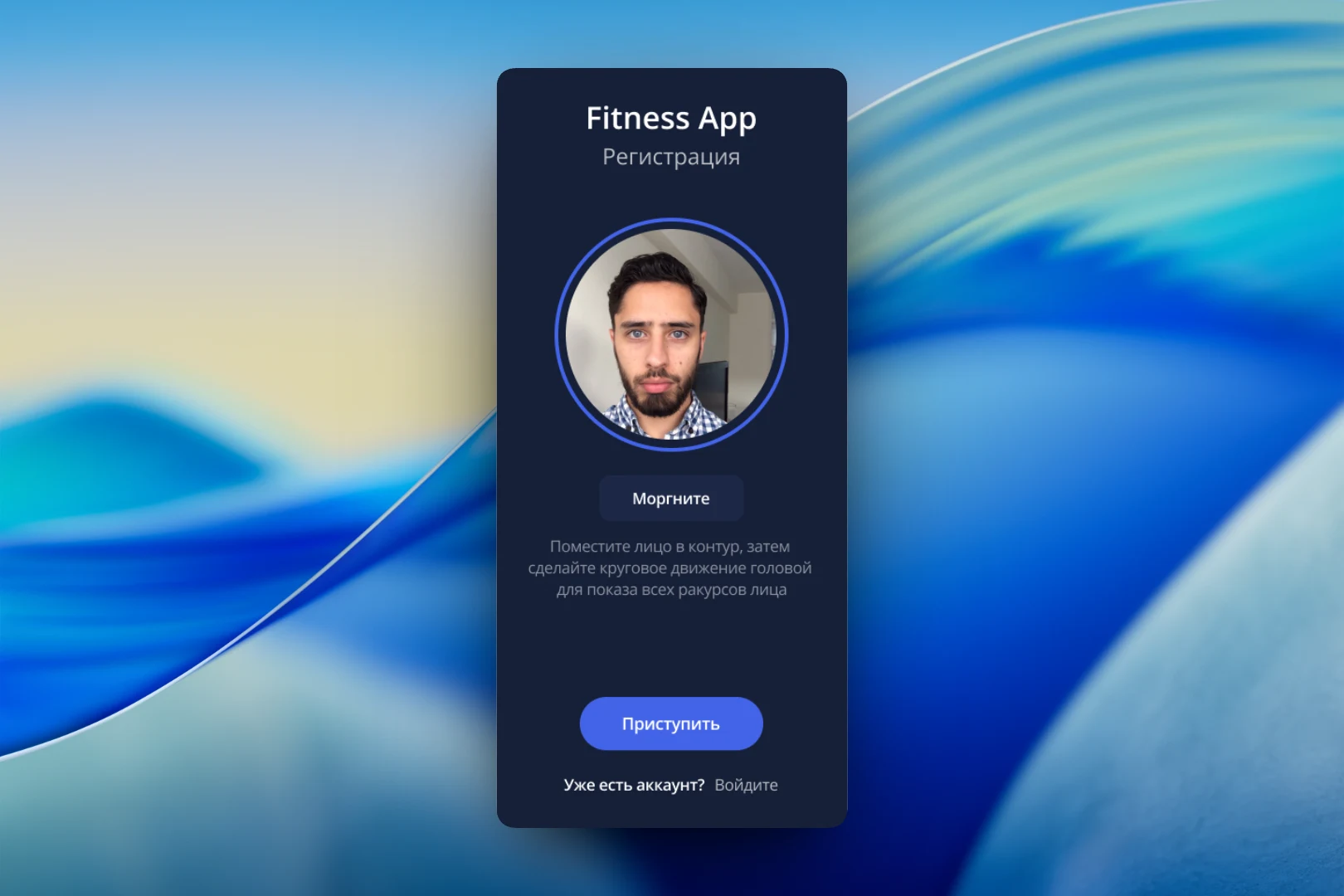
Sign-up starts with a selfie. The user places their face inside a round outline, blinks when prompted and turns their head in a circle so the camera can capture every angle. This ties the account to a real person, and every participant on the leaderboard gets a real photo instead of an empty avatar. Users who already have a profile will find a "Log in" link at the bottom of the screen.
The "My account" section holds the name, date of birth, email and password, and the photo can be changed via the camera icon. This is also where the role is chosen — "Student" or "Coach". We decided against building two separate apps: the role is switched with a single toggle, and the interface adapts to it.
Coach tools
The coach's home screen consists of two lists. At the top is a library of video workouts: "Cardio 25 minutes", "Stretching 45 minutes", "Shaping", "Aerobics 30 minutes". The coach selects the one they need and adds new ones with the "+" button. Below is the list of participants with their points: the coach ticks who will join the group. Preparing a session fits on a single screen and one "Save" button.
During the workout
The lesson itself is designed for a big screen. The video fills the entire space, a large timer runs in the corner, and next to it are the start, pause and stop buttons. Along the bottom, participants are lined up with their photos and points: everyone can see they are not training alone and compare themselves with others without breaking away from the exercises.
Meanwhile, the student's phone shows a "Workout in progress — follow the coach's exercises" card and the group leaderboard with current points. The user's own row is highlighted in color, so they find their place in the table instantly, without scrolling.
Finish
When time runs out, a summary window opens over the video: "Workout complete. Congratulations to the winner". On the right is the final ranking table with points, on the left is the "Done" button that closes the session. We made this moment a separate screen rather than a pop-up notification: the wrap-up is the very part participants push themselves to the end for.
Result
The outcome is a complete group workout flow: sign-up with face verification, session preparation by the coach, a shared video lesson with a timer and leaderboard, and a finale with a winner. The coach manages the group and the program from their phone, while participants get a format that has a group, a coach and the thrill of competition.