About the project
Get out of the box is a mobile app for working with emotions: a set of exercises, practices and game-based tasks that help people make sense of their feelings and learn how to respond to difficult situations. The interface is in English and built around small self-contained modules.
The challenge
Psychological exercises can easily turn into a dull textbook. We had to design an app people want to come back to: a calm visual environment, clear navigation between different types of tasks and short steps that take just a couple of minutes.
Table of contents
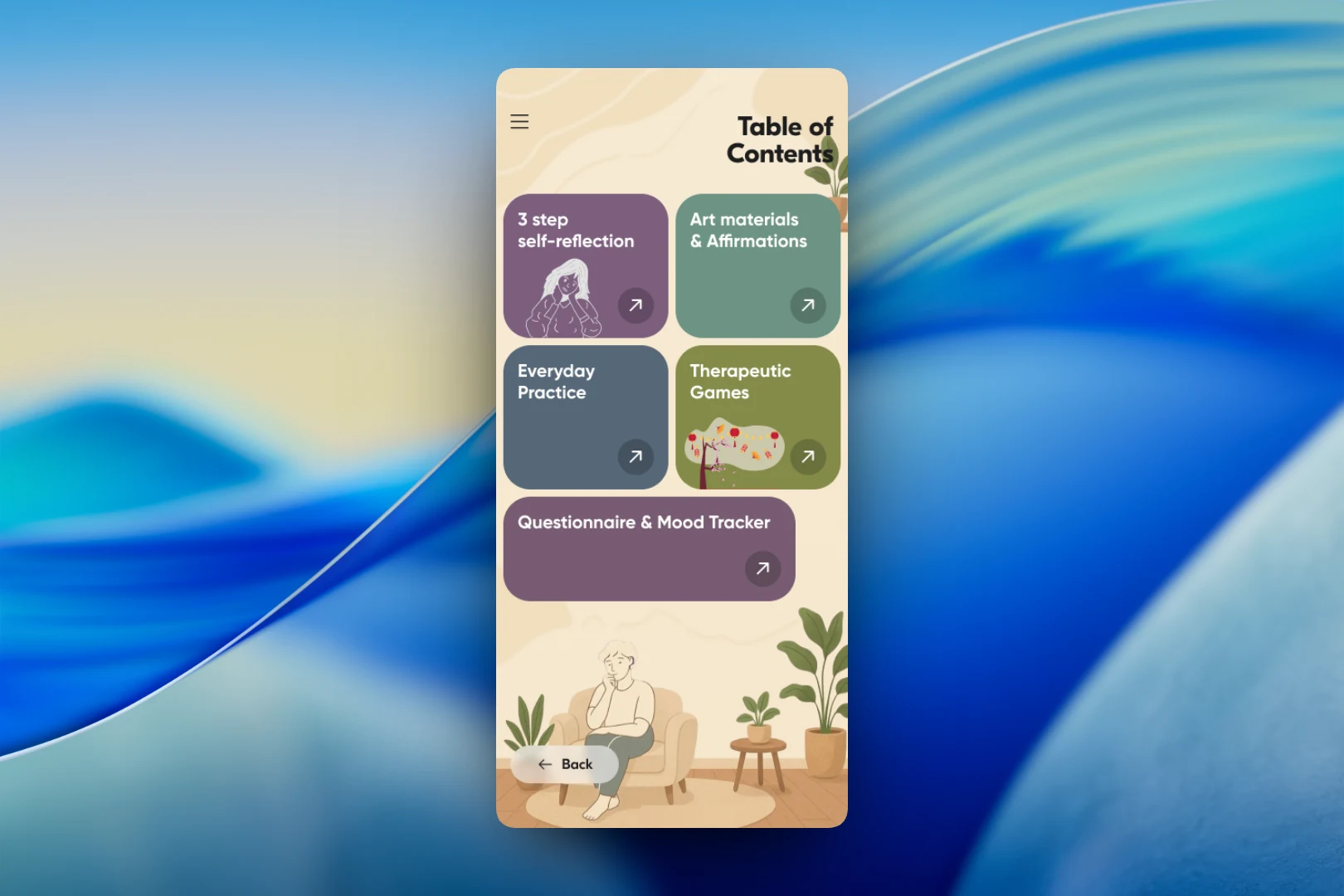
The entry point is the “Table of Contents” screen. Five sections are presented as large colored cards: “3 step self-reflection”, “Art materials & Affirmations”, “Everyday Practice”, “Therapeutic Games” and “Questionnaire & Mood Tracker”. Muted colors and an illustration of a person in an armchair among houseplants create the feeling of a safe, homely space. At the bottom is a “Back” button, and the menu sits in the corner.
Everyday practices
The “Everyday Practice” section is a grid of short techniques: weighing the balance between emotions and threat, amplifying positive emotions, the “broken record” technique, simple requests, the ability to pause, assertive refusal, valued relationships, self-soothing through touch. The cards alternate between two shades, and each has a navigation arrow. Some practices are locked with a padlock icon — this way the interface accommodates paid or gradually unlocked content.
Game-based tasks
For the game part, we created an “Example Cards” screen with illustrated situation cards: everyday, work and social scenes. Here illustrations matter more than text — the user first recognizes the situation visually and then moves on to the task.
Inside a task is the “Emotional Sketch” screen. At the top is a “Situation” label, followed by a short description — for example, “Unexpected gift”: you received an unexpected but welcome gift from someone close and feel joy and surprise. Below the text is an illustration, and at the bottom are “Back” and “Next” navigation buttons. One screen — one idea, with no overload.
Result
We ended up with a calm, warm interface where different formats — reflection, practices, games, a mood tracker — are gathered under one table of contents and look like parts of a single product. Tasks are broken into short steps, and the visual environment supports the app's theme instead of competing with it.