About the project
iPhone Call Recorder is a mobile app for recording phone calls on iPhone. It records incoming and outgoing calls and keeps the recordings in one place, where they can be played back, organized and shared with other people. We designed its first-run user journey: the onboarding and the subscription screen.
The challenge
The app is distributed on a subscription basis, and almost everything is decided in the first minute after installation: a person has to understand what the app can do, believe that it works with both types of calls, and reach the payment screen wanting to give it a try. At the same time, the onboarding can't be long — every extra screen loses some users. We needed to fit the product's value into a few short steps with a single “Next” button.
A four-step onboarding
The first screen introduces the app: a large yellow record button in the “Call recorder” interface and a promise to record incoming and outgoing calls with no time limit. To keep the screen from looking dry, we added a memoji character — it appears at the start of the onboarding and on the subscription screen, tying them into one story.
The second step asks users to rate the app. Instead of a formal dialog, we showed the effect of a review itself: a card with five stars and the caption “They did it!” about a user's wish being added to the app. This way the rating request is presented as a way to influence the product rather than as an intrusive prompt.
What the user gets
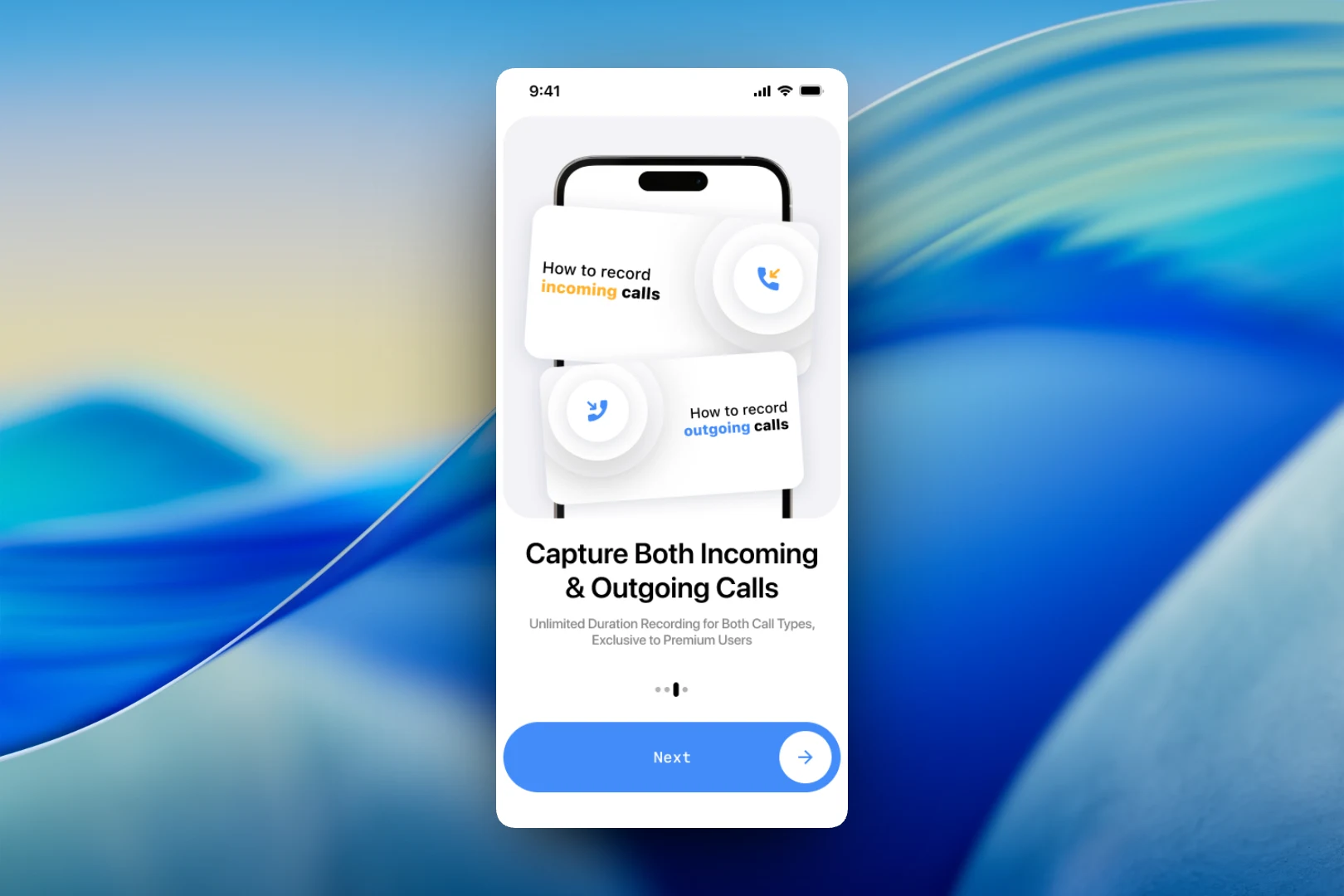
The third screen answers the main question — which calls can be recorded. Two cards, “How to record incoming calls” and “How to record outgoing calls”, are separated by color: orange for incoming, blue for outgoing. The caption honestly states up front that unlimited recording of both types is available in Premium.
The fourth step shows what happens to the recordings next: a list of “Recording_1”, “Recording_2” and so on, with the date, time and duration of each call and an actions menu for every recording. This is a shared library where conversations can be played, sorted and shared.
The subscription screen
The onboarding ends with the “Start Unlimited Call Recorder” paywall. Visually it brings together elements from the previous screens — the record button, the list of recordings and the same character — so it feels like a continuation rather than an abrupt jump to payment. Users choose between a monthly and a yearly plan, both with a three-day free trial, and the main button reads “Try it for free”. Below it are the links required by the App Store: Privacy Policy, Terms of Use and Restore for restoring purchases.
The result
We designed a short onboarding that, in four screens, explains that the app records both types of calls and keeps recordings in one place, gently asks for a rating and leads to a subscription with a free trial. A unified visual language — the yellow record button, call cards and the character — makes the journey from first launch to paywall feel seamless.