About the project
A mobile social network that brings several content formats under one roof: short vertical Clips, long-form videos, the “Newspaper” news feed and live streams. Each format has its own viewing mode, but navigation, the profile and messages are shared.
The challenge
Short clips, long videos and news usually live in different apps, and each comes with its own consumption habits: clips are swiped vertically in full screen, videos are chosen by thumbnail and title, and news is read as a feed of posts. We needed to design an interface in which these formats coexist without getting in each other's way: switching between them takes one tap, and creators, channels and reactions work the same way in every section.
Clips — vertical videos
The main screen opens in the Clips section: a full-screen video with tabs at the top — “Clips”, “Videos”, “Newspaper”, “Live” — plus a live-stream icon and search. On the right is the familiar column of actions: like, comments, save, repost and menu, each icon with its own counter. At the bottom are the creator with the clip caption and a soundtrack icon.
On top of the clip we added two blocks that help people discover new creators: a preview of another clip with its view count in the top left corner, and a channel card with its name and number of subscribers. The channel cards can be swiped, as indicated by the dots beneath them.
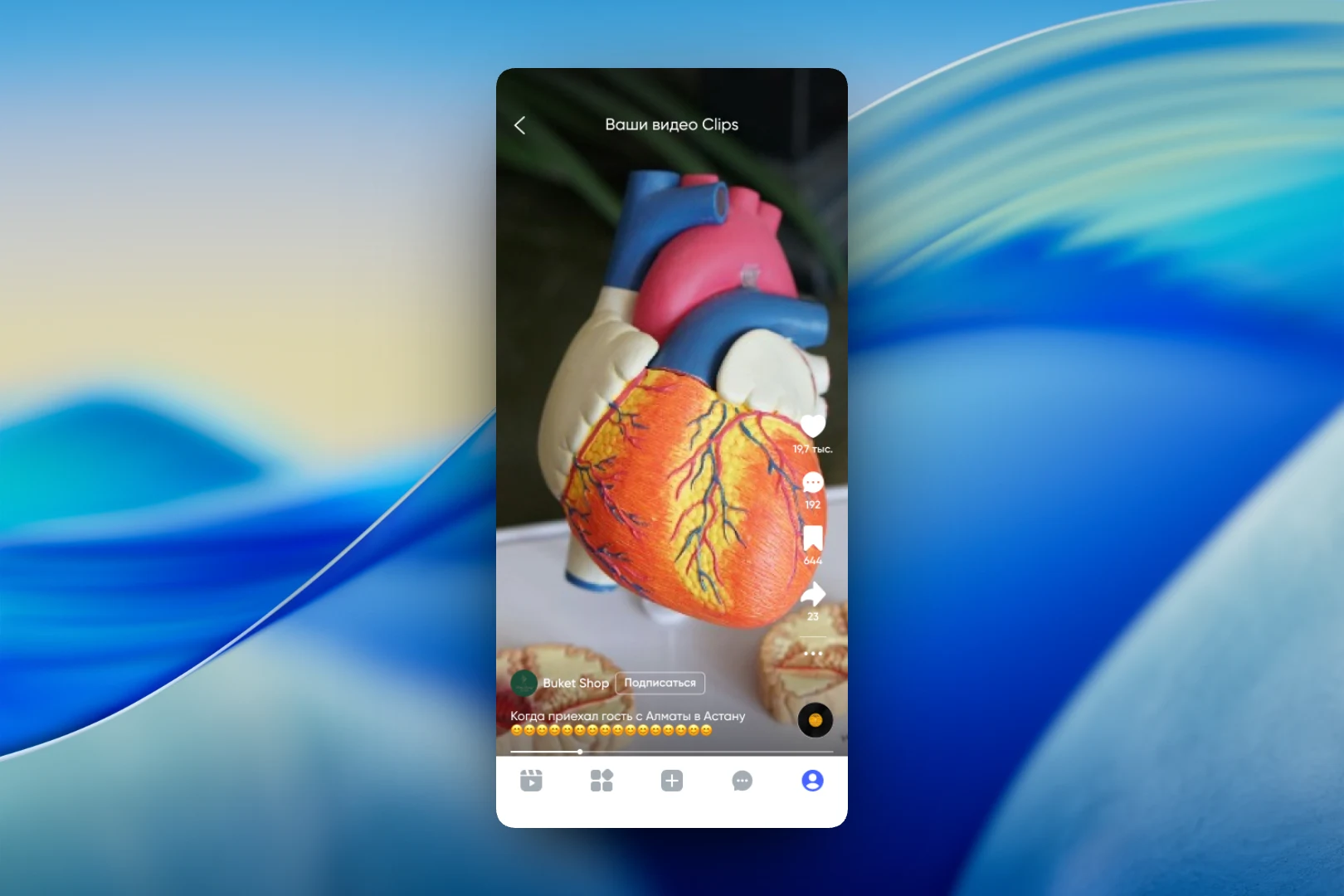
A separate “Your Clips videos” screen shows one creator's clips in the same full-screen format. Next to the name is a “Subscribe” button, and beneath the caption is a playback progress bar. The bottom bar is shared across the whole app: clips, catalog, create a post, messages and profile.
Videos and “Newspaper”
Long-form videos are presented like a familiar video platform: a large thumbnail with the duration and a watched-progress bar, and below it the channel avatar, title, view count and publication date. On the right of each thumbnail is a selection toggle: in this screen state, users mark the videos they want to add.
“Newspaper” is a feed of news posts. A post starts with the source and publication time, followed by a video with built-in sound and playback controls, the news text and a row of reactions: likes, saves, comments and reposts with counters. The same selection mechanism as in videos works here — posts can be marked and added.
The result
We designed a social network in which short clips, long-form videos and news are accessible from a single top bar while each keeps its own viewing mode. Reactions, subscriptions and creator cards work the same way across all formats, so users don't have to get used to the interface all over again when moving between sections.