About the project
M5 VPN is a mobile VPN client that we released on Google Play. The app runs on the VLESS protocol and is built around a simple idea: open the app and connect with a single tap, no setup required. In addition to the app itself, we prepared the screenshots for its store page.
The challenge
VPN users don't need technical details — they need the connection to turn on instantly and stay stable. At the same time, experienced users want to see which server they are connected to and how fast it is, and to be able to route only some of their apps through the VPN. We had to combine these two scenarios in a single interface.
One-tap connection
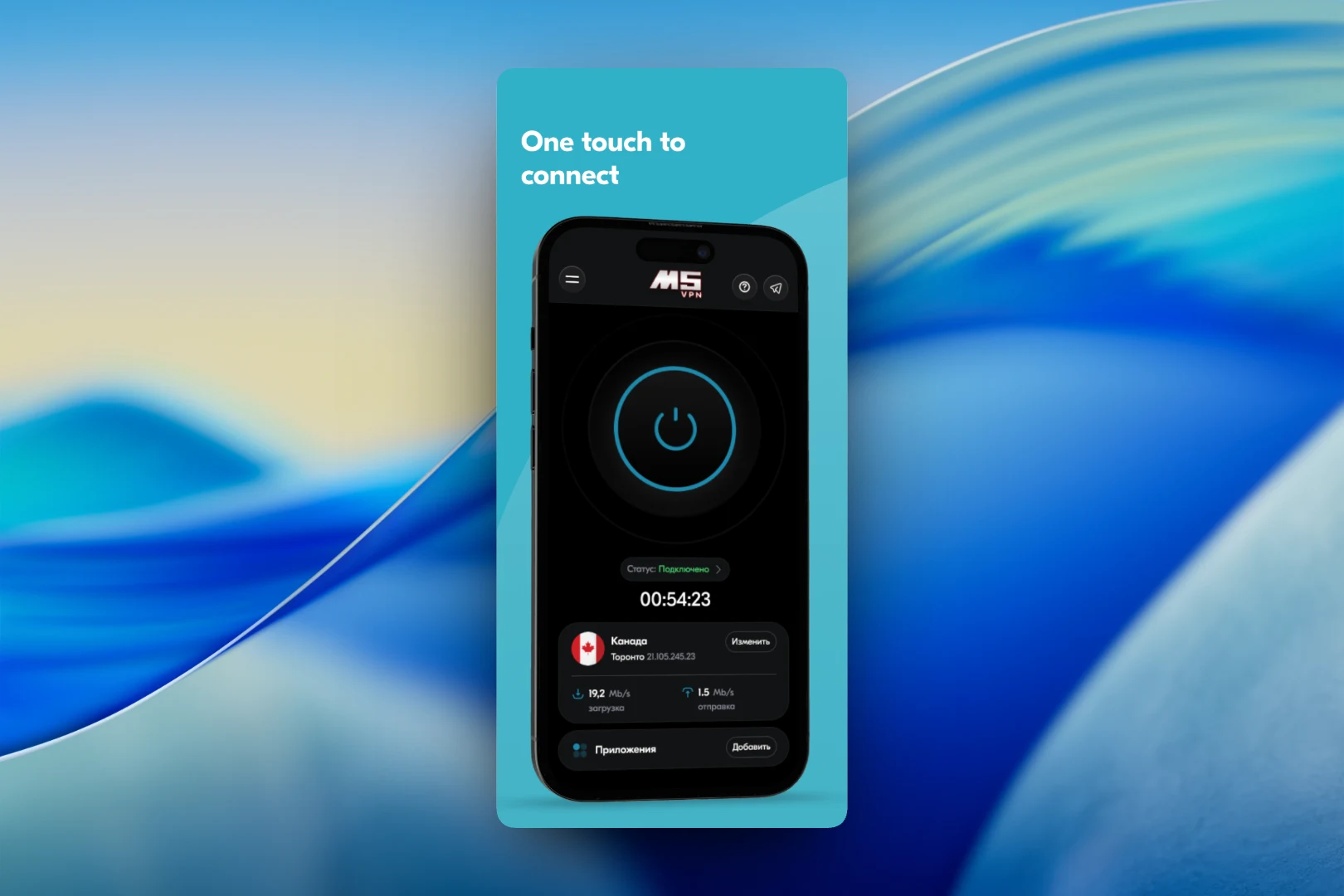
The main screen uses a dark theme. At its center is a large power button with a blue glow, with the connection status and session timer beneath it. Below is the current server card: flag, country, city and IP address, a "Change" button, plus download and upload speeds. A separate "Apps" row with an "Add" button leads to choosing which programs will run through the VPN. The header holds the menu, help and a Telegram link.
Servers around the world
The "Select server" screen shows each location as a separate card: country, city, IP address, ping with a color indicator of signal quality, and upload and download speeds. The active server is marked with a "Connected" badge, the others have a "Connect" button, and some locations are marked with a lock. The list can be refreshed with a button in the header to get up-to-date figures.
App selection
By default, all traffic goes through the VPN. If you turn off the "All apps" toggle, you can check only the programs you need — for example, Telegram, X, Facebook, TikTok, Instagram, YouTube or Amazon. The rest will connect directly, with no loss of speed. The list follows the same style as the server selection: large rows with icons that are easy to tick with one hand.
Result
M5 VPN is published on Google Play. The app lets users connect with a single tap, pick a server based on ping and speed, and selectively route only the apps they need through the VPN. The store screenshots are built around the same three scenarios: fast connection, servers around the world, and security and privacy.