About the project
Online Tutor is a mobile app for finding tutors. The user picks a subject, compares teachers by experience, rating and price, and books a lesson. Prices in the mockups are given in tenge, meaning the product was designed for the Kazakhstan market.
The challenge
Choosing a tutor is hard: you need to find out who teaches the subject you need, how the teachers differ and how much lessons cost. We had to design an app in which this choice takes just a few minutes — from the list of subjects to booking a specific person — with all service functions gathered in a clear personal account.
Home screen and subjects
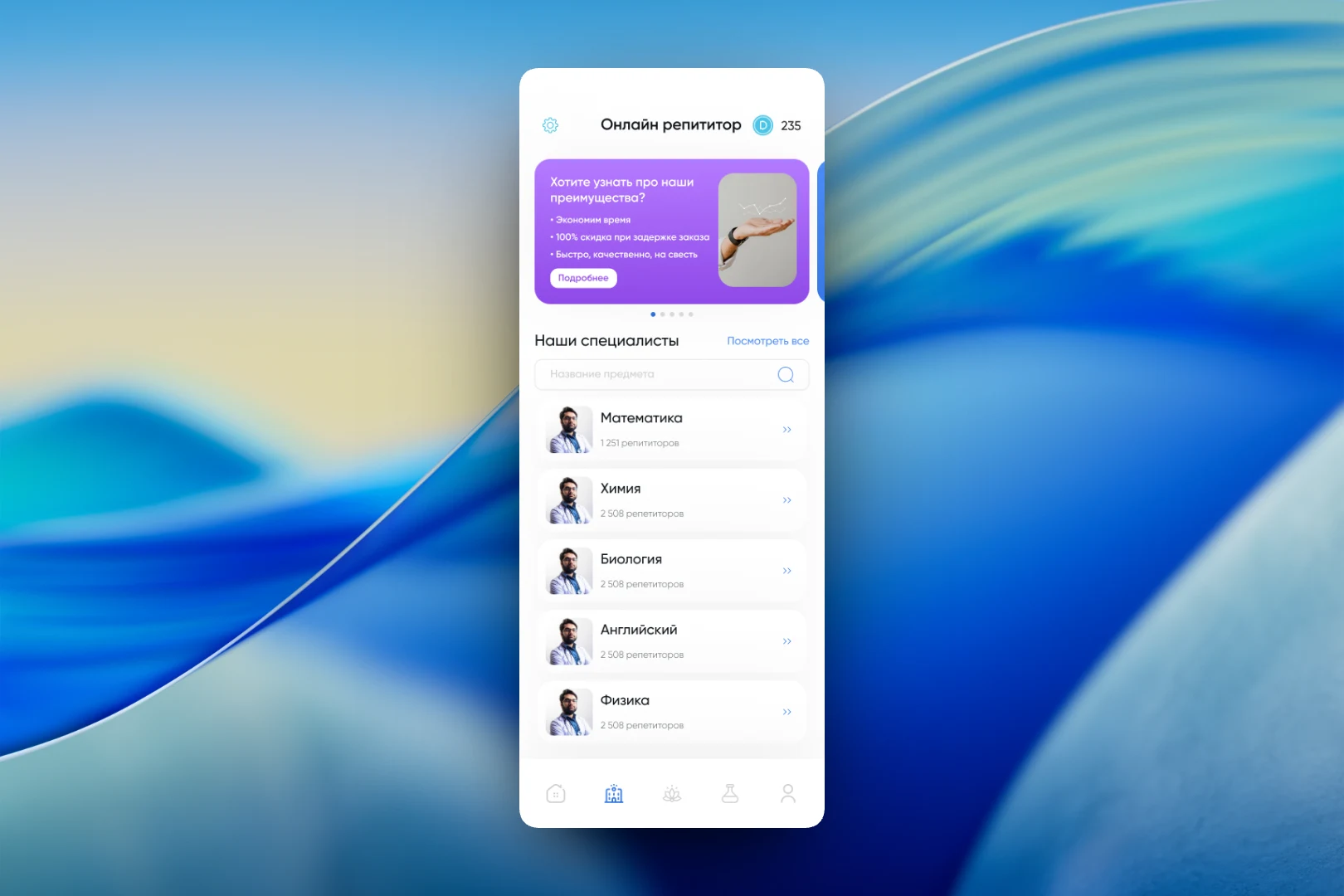
The home screen opens with a slider showcasing the service’s benefits and a “Learn more” button. Below is the “Our specialists” block with search by subject name and a list of areas: mathematics, chemistry, biology, English and physics. Each card shows how many tutors are available for the subject, which immediately gives a sense of how wide the choice is. The header contains settings and the in-app currency balance.
Choosing a teacher
The “Choose a service provider” screen lists tutors as cards: photo, full name, rating, experience, workplace, lesson price and academic degree. Above the list there is sorting by experience, rating and price, so the most experienced or the most affordable teachers can be brought to the top in an instant. Each card has a “Book” button and an arrow leading to the teacher’s detailed profile. All cards share the same structure, so teachers are easy to compare simply by scrolling through the list.
Personal account
The personal account is built from large tiles: “Find a tutor”, “Call-center”, “Favorites”, “Notifications”, “Order history” and “Services”. At the top are the user profile with an edit button and the same benefits slider. The tile grid lets users reach any section in a single tap and is easy to extend when new features appear.
The result
We designed an app where the path to a lesson fits into three steps: choose a subject, sort teachers by the criterion that matters and book. The tutor’s key parameters are visible right in the list without extra navigation, while favorites, order history and contact with support are gathered in the personal account.