About the project
пинфл.рф is the website and client portal of Cards Online, a service that helps non-residents obtain an Uzbek PINFL (personal identification number) and a UCELL SIM card without travelling to Uzbekistan. Everything is handled by power of attorney: the client prepares the documents in Russia, and the service's representatives take care of the rest in Tashkent.
The challenge
The service is complex and consists of several stages where mistakes are easy to make: sending a photo of the passport instead of a scan, mailing the power of attorney by post, choosing the wrong mobile operator. We needed to explain the process so that clients know in advance what will be required of them and when, and after submitting a request can track the progress in their personal account.
First screen
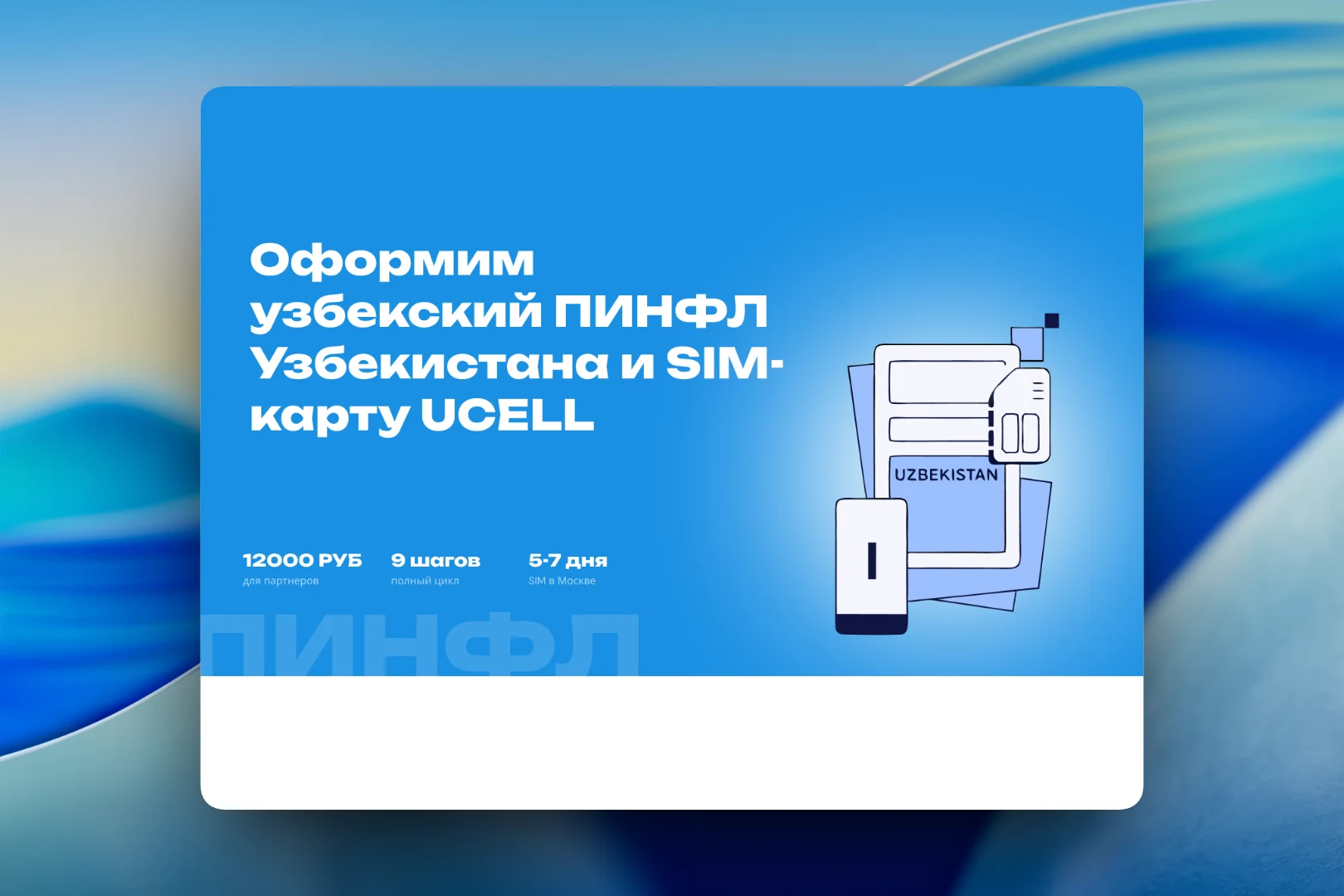
The home page immediately states what the service does: “We'll get you an Uzbek PINFL and a UCELL SIM card”. Next to it is an illustration with a passport, a SIM card and a phone, and below the headline are three key facts: the price for partners, the number of steps in the full cycle and the time it takes to receive the SIM in Moscow. The large word “ПИНФЛ” in the background works as a signature graphic element.
Process, restrictions and delivery
The main part of the page covers four stages from request to SIM card: the request and the text of the power of attorney, certifying and sending the power of attorney, issuing the PINFL and SIM card in Tashkent, and receiving the result. Each stage comes with an isometric illustration, a short text and cards with the essentials: timelines, document format, price and operator.
A separate dark block, “Important to know before applying”, gathers the restrictions that would prevent the service from helping: UCELL only, passport scans only, no Russian Post, and a waiting period after the number is activated. Each item has an importance label. Below are three ways to hand over the power of attorney with price and timing, office contacts with directions from the metro, and contact channels with a “Submit a request” button.
Personal account
The login to the personal account is designed as a split screen. On the left is a dark panel explaining why the account is useful: tracking the 9 steps of the process, uploading documents and chatting with a manager in one window, without phone calls or postal correspondence. On the right is a form with “Sign in”, “Sign up” and “Recover” tabs, email and password fields and a “Remember me on this device” option.
Result
The website guides the client through a complicated service step by step: it explains the stages, warns about restrictions in advance, offers a convenient way to hand over documents and provides a personal account that shows which stage the application is at. As a result, most questions are answered before the client even contacts a manager.