About the project
A mobile app for the private security company "Sigma-Profi". Through it, clients order guard and escort services, talk to an administrator and keep track of their orders, while a separate mode of the app shows the staff duty schedule.
The challenge
Ordering security usually involves phone calls and messenger chats: you have to agree on the number of people and vehicles, the dates and any special requests, and then sort out payment. Our task was to bring this process into a single app — so that an order is placed just like in a regular service with a cart, while contact with the company and the full history are always at hand. The interface had to look restrained and solid, in keeping with the industry.
Placing an order
The client's bottom menu has four sections: "Available services", "Staff", "Chat" and "Personal account". The order screen is built as a short form. For a vehicle, for example, the client enters the number of cars and rental days — the minimum order of 6 hours is shown right under the field — writes any special requests and chooses a model from photo cards. The selected card is marked with a red frame and a tick, and the "Add to cart" button lets the client combine several services in one order.
Contact with the administrator
All questions about orders and payment are handled in the built-in chat. It supports replies quoting a specific message, read receipts, attachments, emoji and voice messages that play right in the conversation — a familiar set of features that removes the need to switch to a third-party messenger.
Personal account
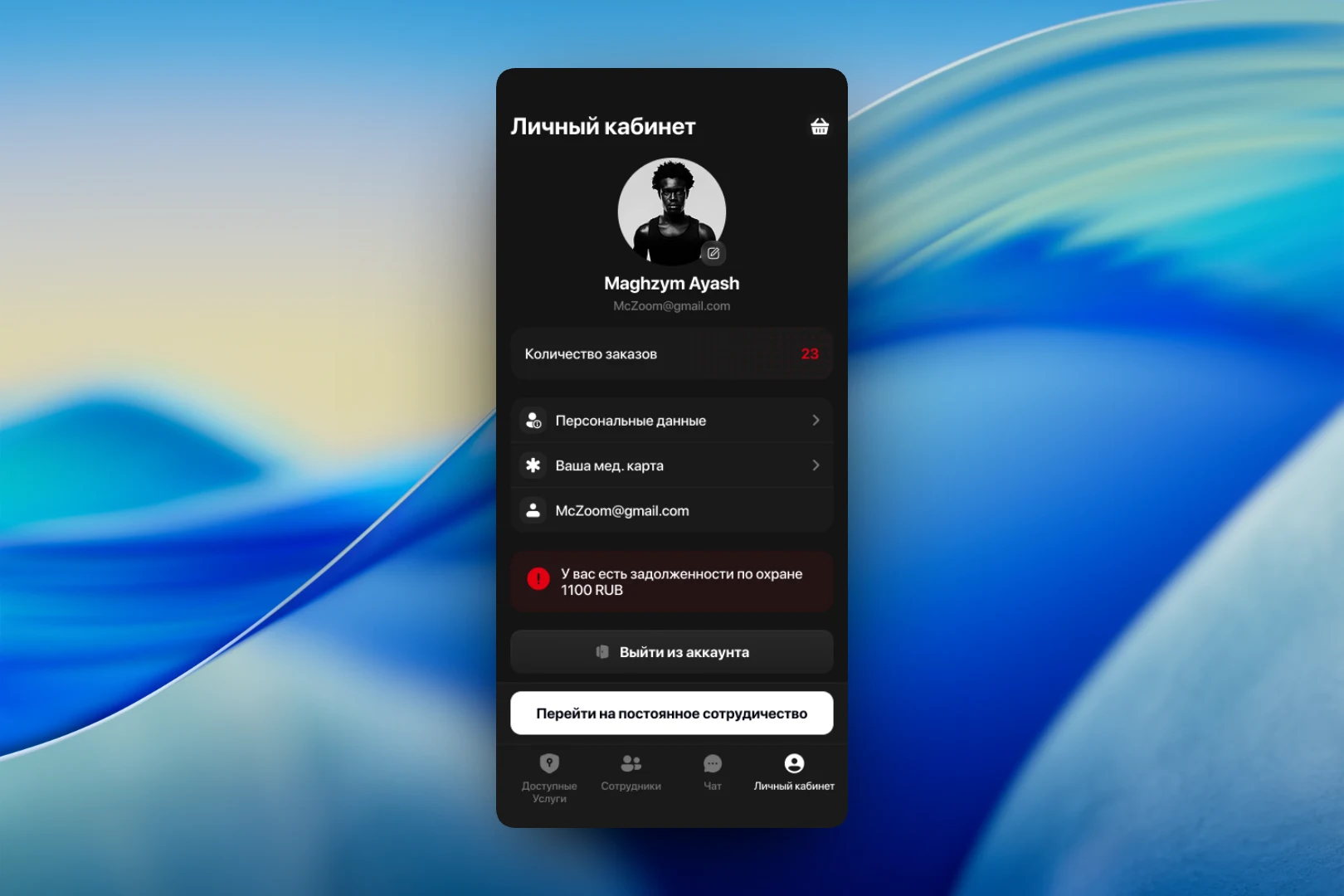
In the personal account the client sees their photo and contact details and the number of orders placed, and can open their personal data and medical record. Any outstanding balance for security services is shown on a separate red banner with the amount — impossible to miss. At the bottom are the sign-out option and a "Switch to ongoing cooperation" button for those who need security on a regular basis rather than as a one-off. The cart icon in the corner leads to the current order.
Staff schedule
The app's second mode has its own menu — "Schedule", "Group", "Chat" and "Personal account". The schedule screen shows a monthly calendar where days with shifts are marked with dots and the selected date is highlighted. Below the calendar is a list of staff on duty that day: photo, full name, ID number and phone. This way you can see at a glance who is going on site and when, and how to reach them.
The result
We designed an app that moves a security company's work with clients into a clear digital format: services are ordered via a form and a cart, communication happens in the built-in chat, outstanding balances and order history are visible in the personal account, and the staff schedule is available in a calendar. A dark palette with red accents supports the brand's strict character.