About the project
SMTK is a technical competency monitoring system: a web dashboard where a manager sees what knowledge each position requires, which employees have already confirmed it through testing and who hasn't started yet. The system brings together a directory of positions and competencies, an employee list with statuses, a test builder and reports.
Challenge
In engineering departments, knowledge requirements are very specific: legislation in gas supply and construction, standards for reconstruction and grid connection, rules for accepting capital expenditures. They need to be checked regularly and for every person, and keeping all this in spreadsheets and email threads is inconvenient — it's hard to see who is at which stage and where the gaps are.
We needed to design an interface where a department head immediately sees the overall training picture, can drill down to a specific employee or position and export a report with the required breakdown.
Dashboard: the big picture in a minute
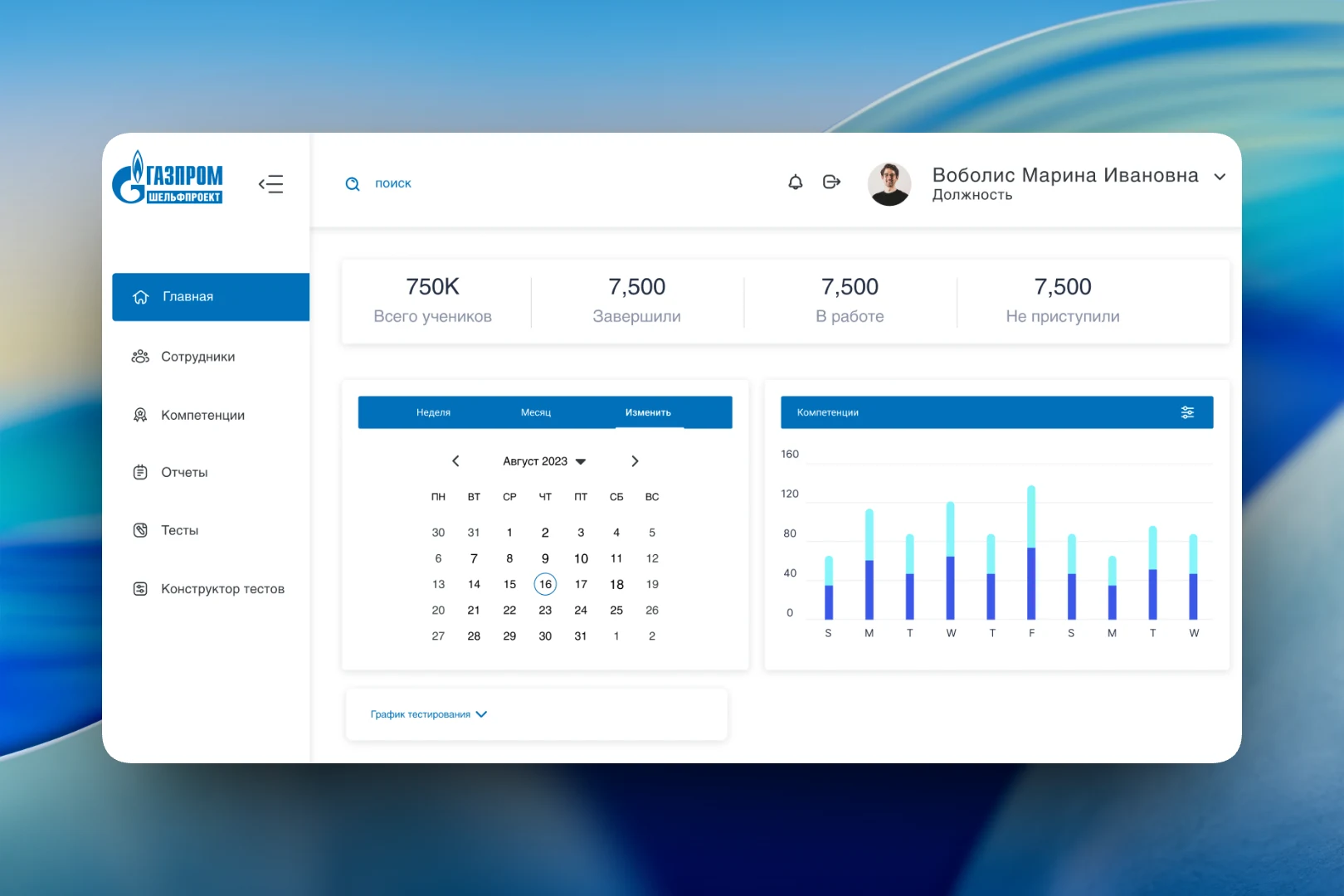
The main screen opens with four counters: total learners, how many have completed training, how many are in progress and how many haven't started. Below are a calendar that switches between weeks and months and a bar chart by competency showing the ratio of completed to remaining for each period. The expandable “Testing schedule” block lists upcoming tests: dates, topic and completion percentage.
We worked through several dashboard design options. One of them follows the client's corporate style — with its logo, a different set of menu icons and highlighting of the selected date range in the calendar.
The second option is neutral, under the system's own name SMTK, with a simplified “Month / Year” calendar. It became the basis for the rest of the dashboard screens.
Employees and positions
In the “Employees” section, each person is shown with their position, department and number of assigned competencies. Status is displayed as a circular indicator: 4/10, 7/10, 9/10. The ring's color shifts from red to green, so those falling behind stand out without reading the numbers. Above the table are quick filters — “all employees”, “completed”, “in progress”, “not started” — and a button to add an employee.
The “Positions” section links the staffing structure to requirements: each position has a set of competencies that expands with an arrow. The list can be filtered by department and competency, and positions can be added manually or uploaded from a file.
Reports
For reports, we built a flexible breakdown builder: period, employees, competencies, position, department and competency level. The result is shown as a table with search and sorting by mastery level, and the “Download” button exports it for further work. The “Previous report” tab keeps the last selection so you can return to it.
Result
SMTK brings everything needed to monitor qualifications into one dashboard: position requirements, tests, each employee's progress and reports. The department head sees where the unit has knowledge gaps, tracks testing progress and gets an export for any combination of filters without manually reconciling spreadsheets.