About the project
Tuman VPN is a mobile VPN app with free and premium servers in different countries. The user picks a location, connects with a single button and sees connection statistics, and subscribes to get access to additional servers. We designed the app's interface: the home screen, country selection and the premium subscription screen.
The challenge
People open a VPN app for one action — to connect. Everything else should be at hand but stay out of the way. We had to create an interface where connecting takes a single tap, the current state is clear at a glance, and the difference between free and paid features is visible without intrusive banners.
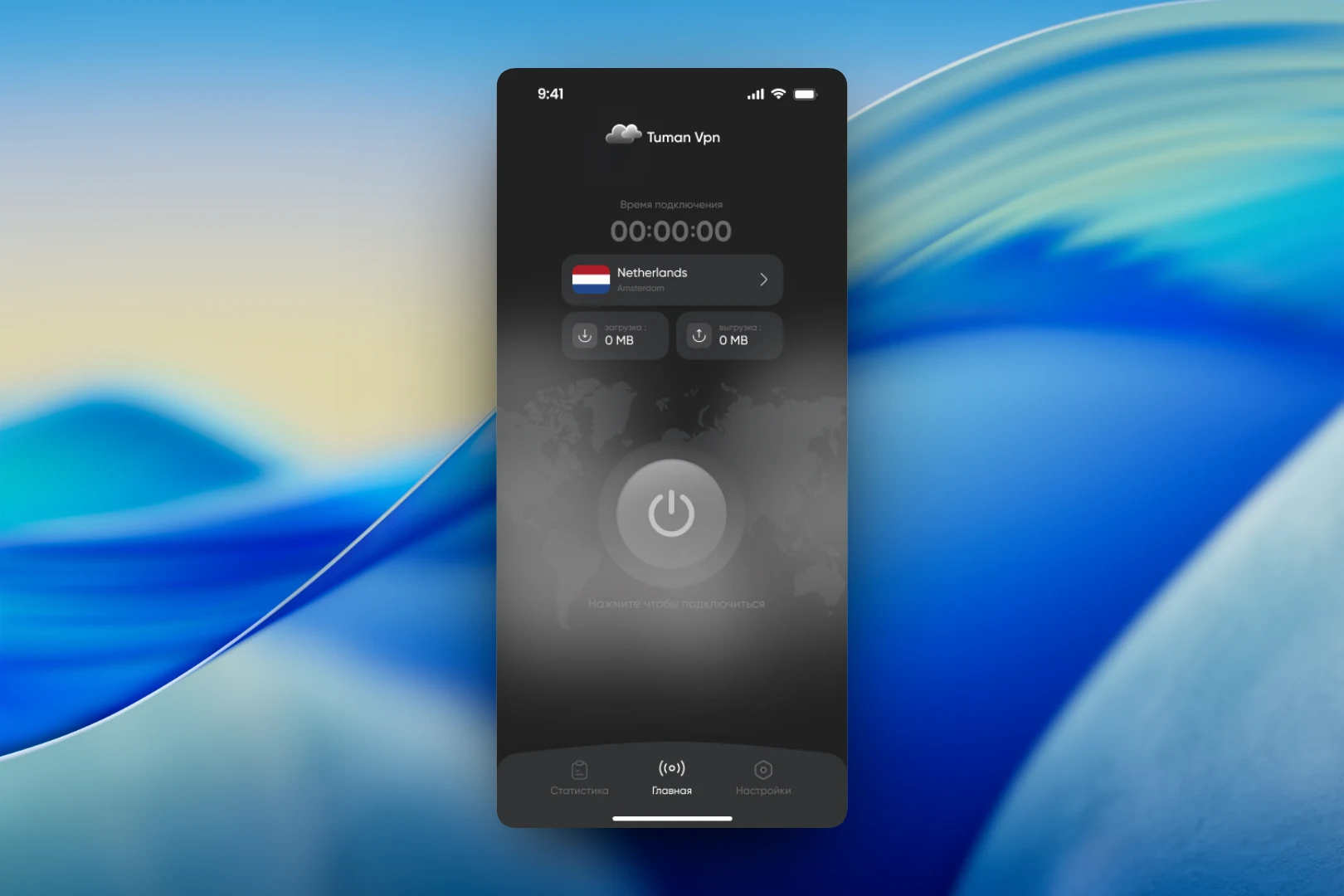
The visual idea came from the name itself: "tuman" means "fog" — hence the dark graphite palette, soft gradients, a cloud in the logo and a blurred world map in the background. The interface turned out calm and restrained, with only actions and data kept in contrast.
One-tap connection
The center of the home screen is a large power button over a world map with the hint "Tap to connect". Above it are a connection timer, the selected country with its flag and city, and two traffic counters: download and upload. Everything you need to know about the connection fits on one screen without scrolling. At the bottom are three sections: "Statistics", "Home" and "Settings".
Choosing a country
Tapping the country opens a list of locations with search at the top. Servers are split into two groups — "Free" and "Premium" — each showing its count. Each row has a flag, the country name and the connection quality: "Best", "Average" or "Poor". The user knows in advance which server is worth connecting to, and the current one is marked with a "Connected" button.
Premium countries sit in the same list, but with a crown icon and a locked button. This way paid features are visible in the context where they are actually needed rather than in separate advertising.
Premium subscription
The subscription screen continues the same style: a crown with a crystal, a short headline and an explanation of why to go premium. Below are payment options as cards: a 7-day trial with its end date, and weekly, monthly and six-month plans. The old price is crossed out next to the new one, and the best-value option is marked with a discount badge. The main button is "Upgrade to Premium", with links to the terms and privacy policy below it.
The result
We designed a VPN app with a short core scenario: open it, tap the button, use it. Country selection with a clear connection quality rating and neatly integrated premium servers help users understand what the service offers without distracting them from the main action.