About the project
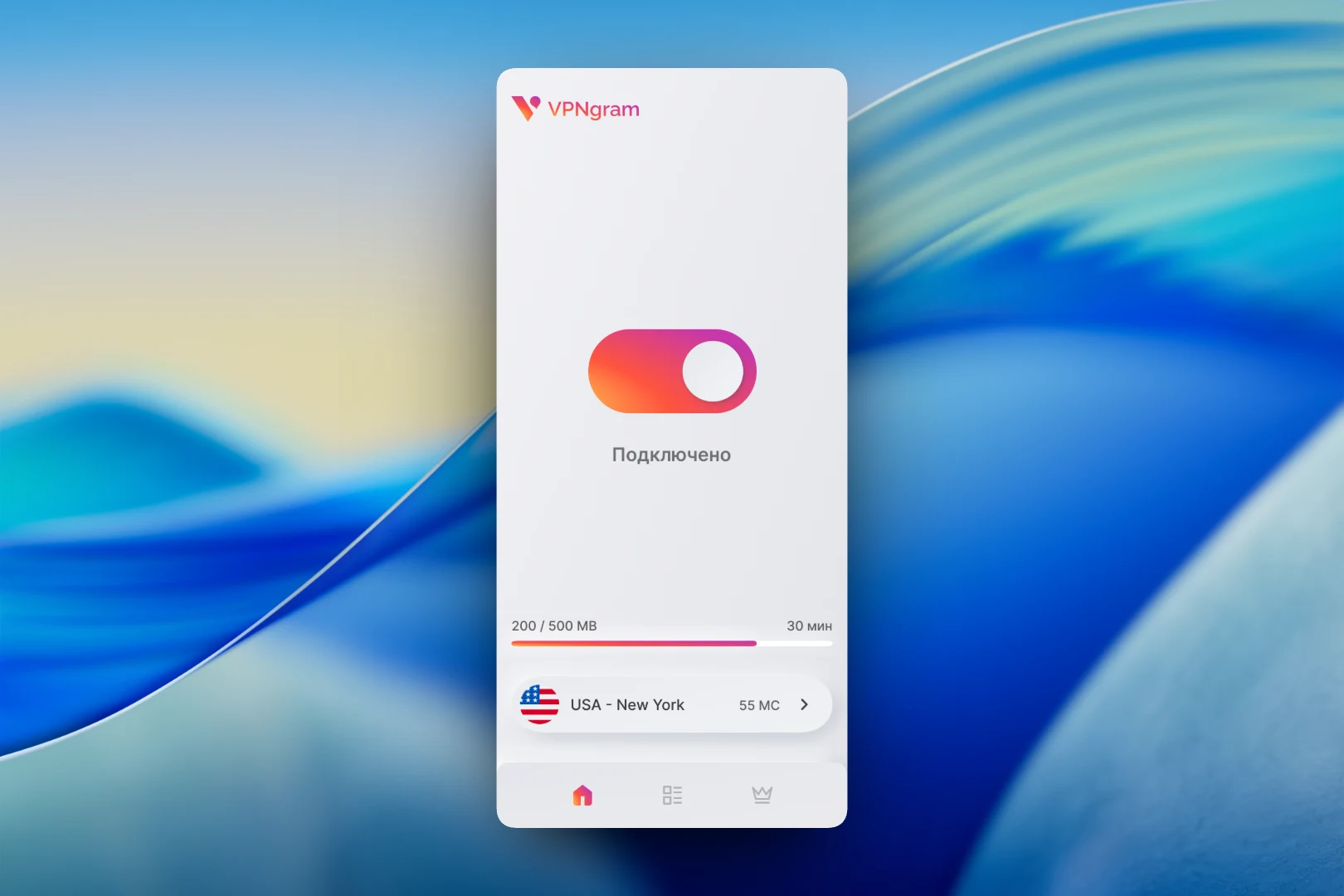
VPNgram is a mobile VPN app with a free daily traffic allowance and a paid subscription with no limits. The interface follows a light neumorphic style: soft shadows, raised cards and a signature orange-to-purple gradient that highlights only the active elements.
Challenge
Users want just one thing from a VPN app: turn protection on and forget about it. We needed an interface where connecting takes a single tap, while the user can always see how much free traffic is left and understands how to get more.
First launch
Before getting started, the app asks for the required system permissions: displaying over other apps and access to usage data. Each permission is a separate card with a toggle and a "Granted" or "Not granted" status, so the user sees what is missing before anything stops working.
Connection
The main screen is almost empty, and that is a deliberate choice. In the center is a large toggle: when the VPN is on, it fills with the signature gradient and a "Connected" status appears below it. At the bottom are a traffic usage bar showing the remaining time and the selected server with its country flag, city and ping. Navigation consists of three icons: connection, server list and subscription.
Server selection
Servers are grouped by country: the USA, Mexico, Japan, France, China, Belgium, Poland, Russia and others. The number of available locations is shown under each country name, and expanding a card reveals cities with a load indicator and ping. This way the user first picks a country and then the fastest city in it.
Subscription
The plans screen shows the current free daily allowance and how much of it has already been used. A separate "Invite a friend" button gives an extra gigabyte of traffic — a free way to keep going without paying. Below is the Unlimited plan at 250 rubles per month and a "Subscribe" button.
Result
The result is a VPN app where connecting takes a single tap and limits and pricing are transparent: the remaining traffic is visible right on the main screen, and ways to increase it are on the next one. The minimalist neumorphic style with a single accent gradient makes it easy to tell the on state from the off state at a glance.